Transforming outdated libraries and inconsistent designs into a scalable system for Disney’s Studio Technology organization.
This case study shares how Cel was built across design, engineering, and product to create a unified component library and documentation site for teams across the organization.
Duration
Jan '24 - Oct '25
SKILLS
UX Design, Systems Design, Visual Design, Research
Tools
Figma, Figma Variables, Storybook
MY ROLE
Leading efforts to build the Studio Technology organization’s design system.
At Walt Disney Studios, I led the efforts of building Cel, a design system for the Studio Technology organization.
Cel introduced reusable components, shared code, and clear documentation that helped teams work faster and stay visually aligned.

Previous Experience
Teams were building products with inconsistent designs from several different design libraries.
Prior to Cel, many teams across Studio Technology looked and behaved differently because teams were creating their own patterns, components, and code from scratch.
Limited design support and years of custom code made making updates slow and difficult, which kept teams from staying aligned with one another.
As the org’s ecosystem grew, the inconsistency became harder to maintain.
Solution
Building a system to unite products across the studio and teams.
The solution became clear that we needed a single design system that could support all products and give every team a consistent, shared foundation.
This idea became the start of Cel, and the project was launched with our first priority of defining the Studio’s design identity and brand. This would inform the visual style of components, libraries, and more.
Branding & Visual Design
Crafting the system’s visual identity
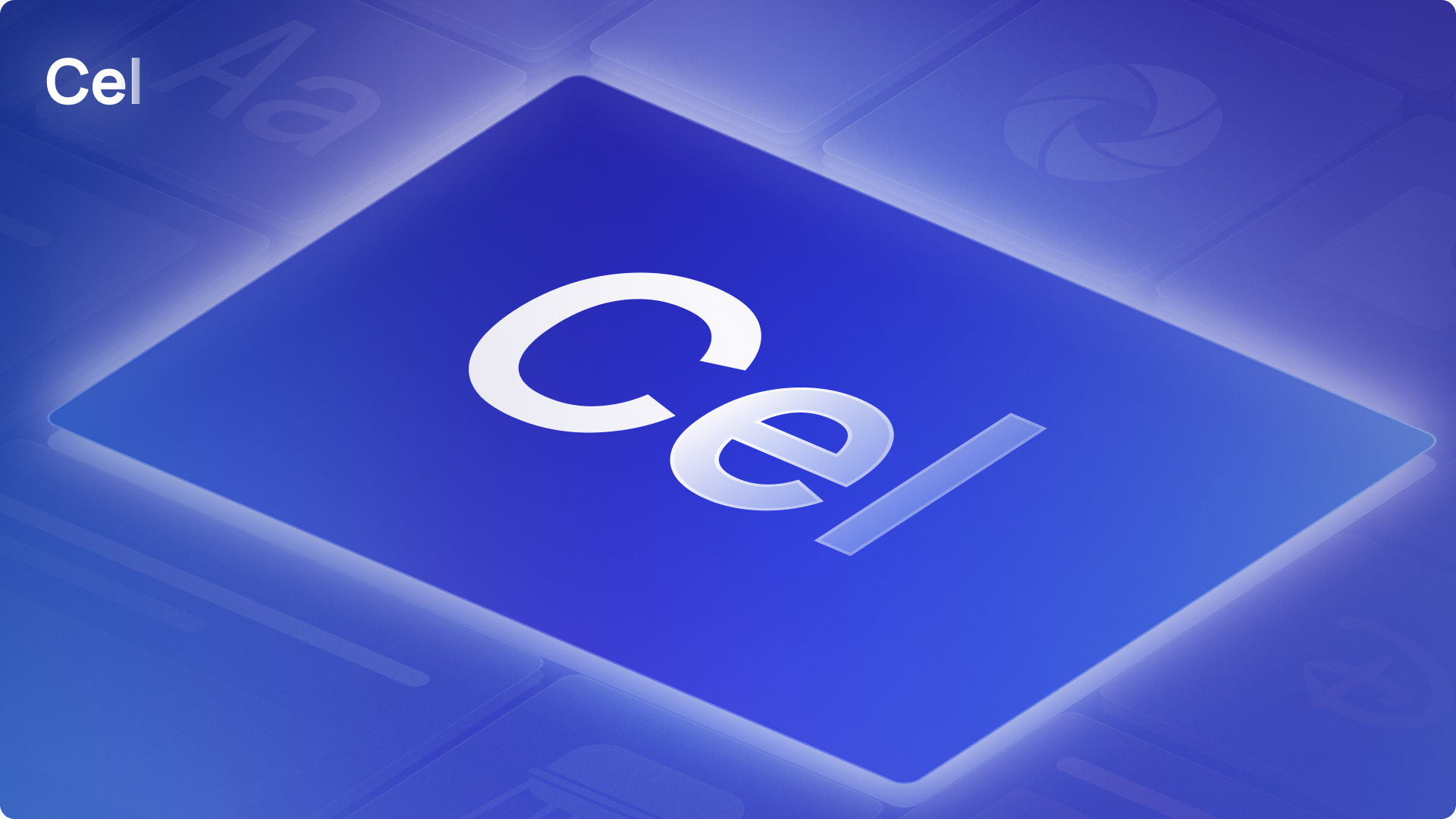
A unifying identity needed to be built to bring together the different products of the Studio Technology organization.
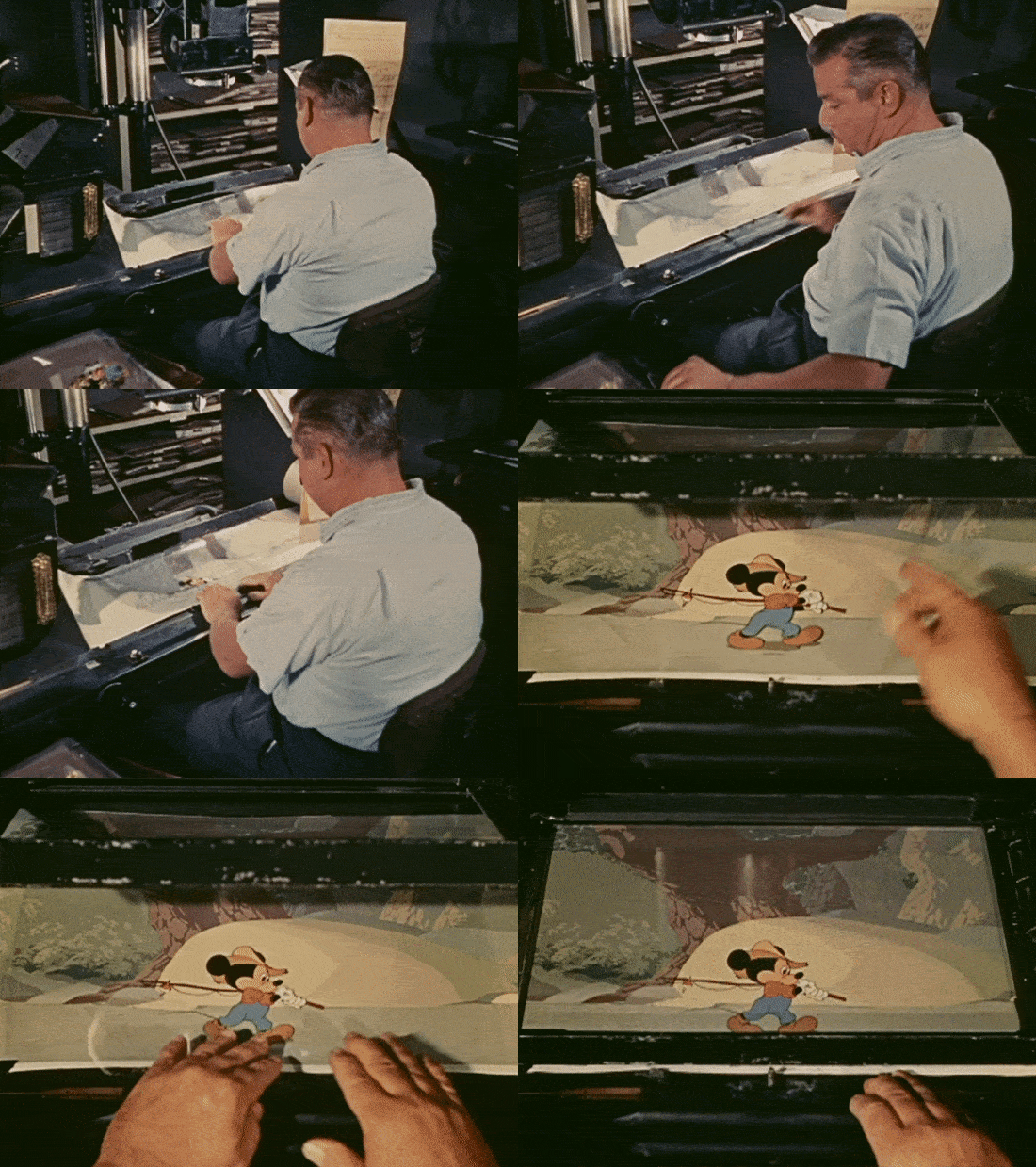
The name Cel was inspired by the innovative animation cels that Disney pioneered. Each cel is a single layer, but when placed together they create a complete story.
Cel design system follows the same principle of bringing teams together into one system to create the org’s cohesive visual story.
Cel’s branding drew from classic Disney visual language. We used bold color moments, soft gradients, and the layered feeling of animation cels to create a unique identity that still felt at home inside the larger company.

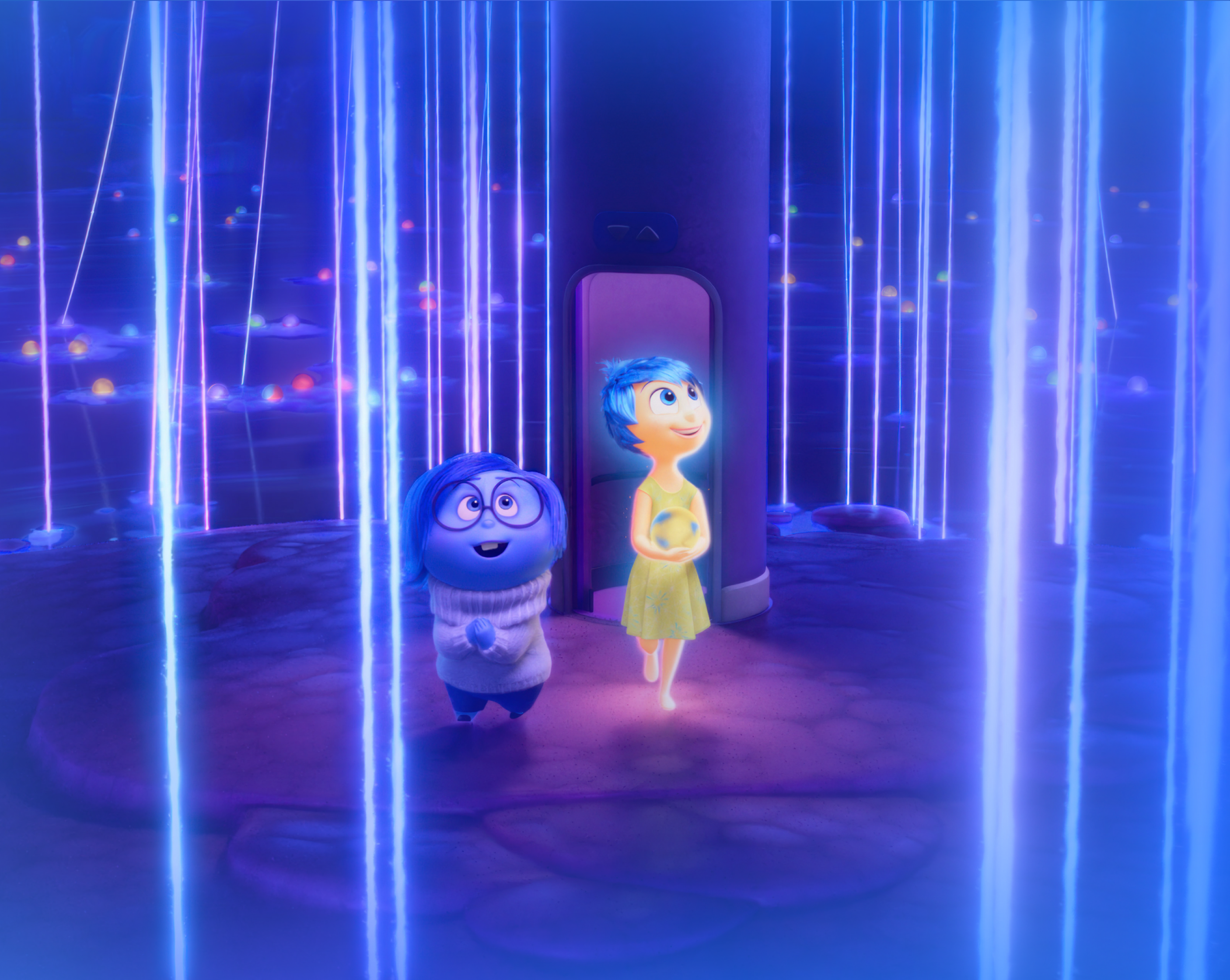


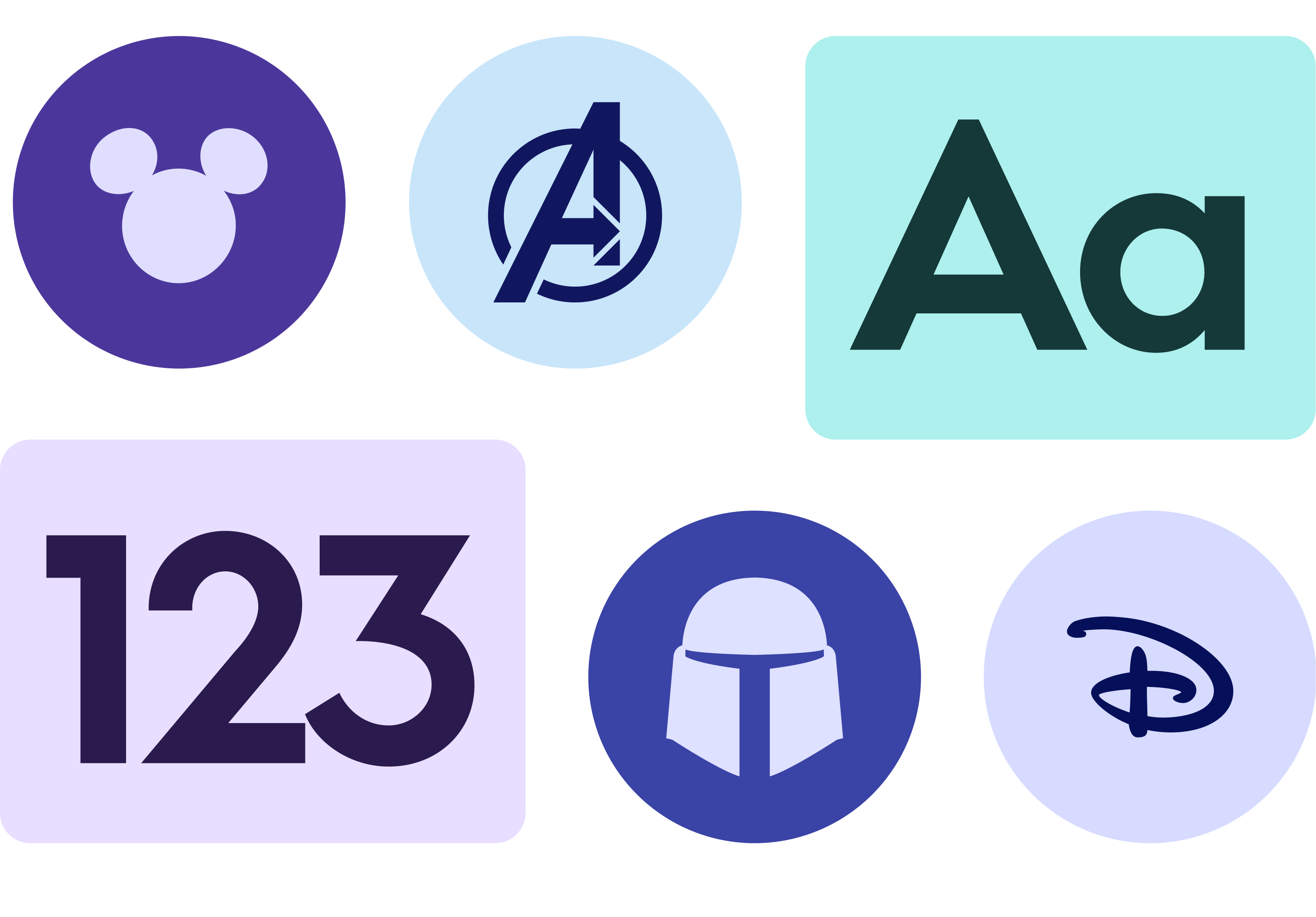
With the visual identity established, we defined the principles that would guide the entire system.
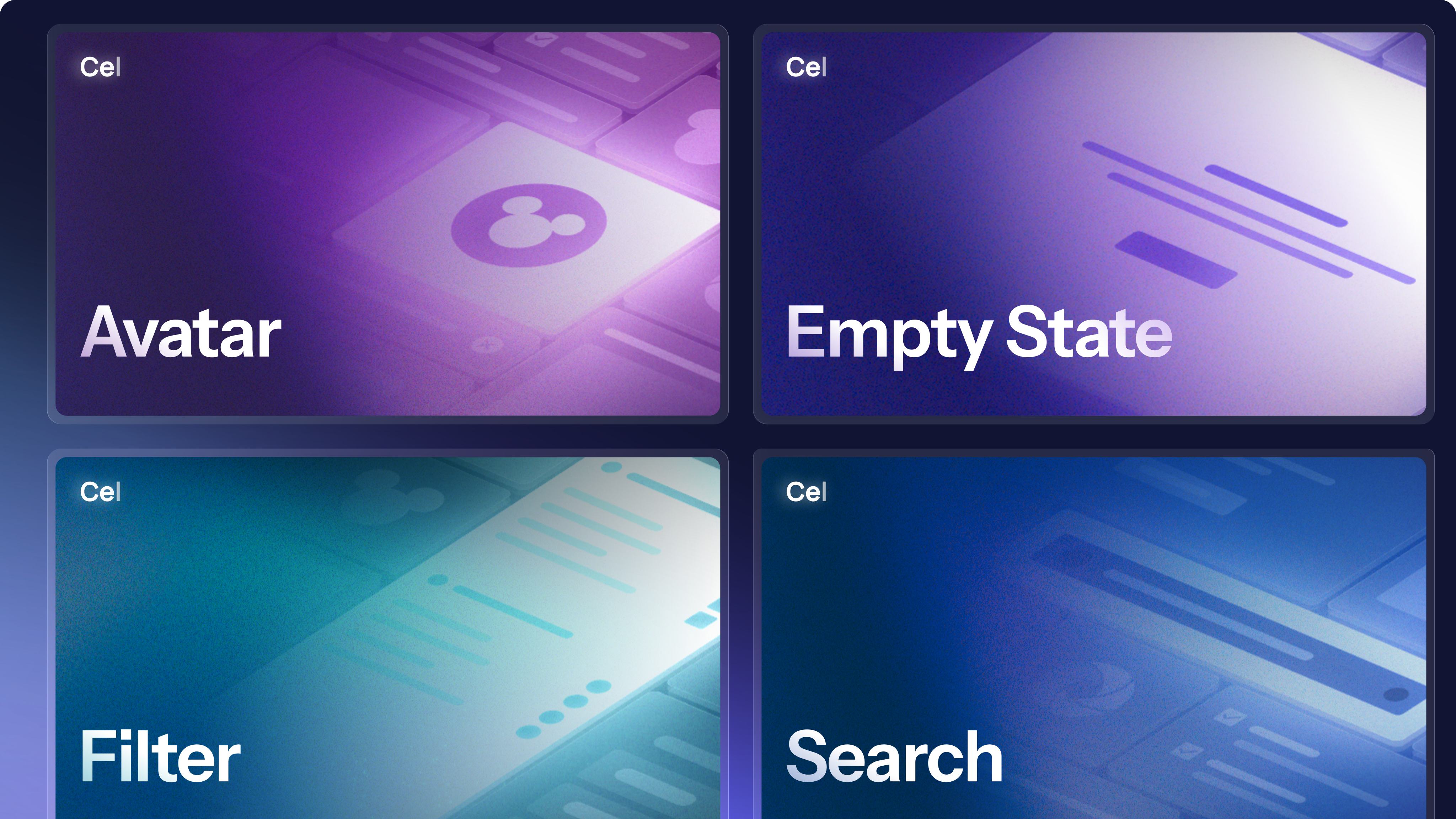
We defined a design language built around clarity, consistency, and flexibility, which shaped how components, colors, spacing, and motion came together across the system.

Team Branding
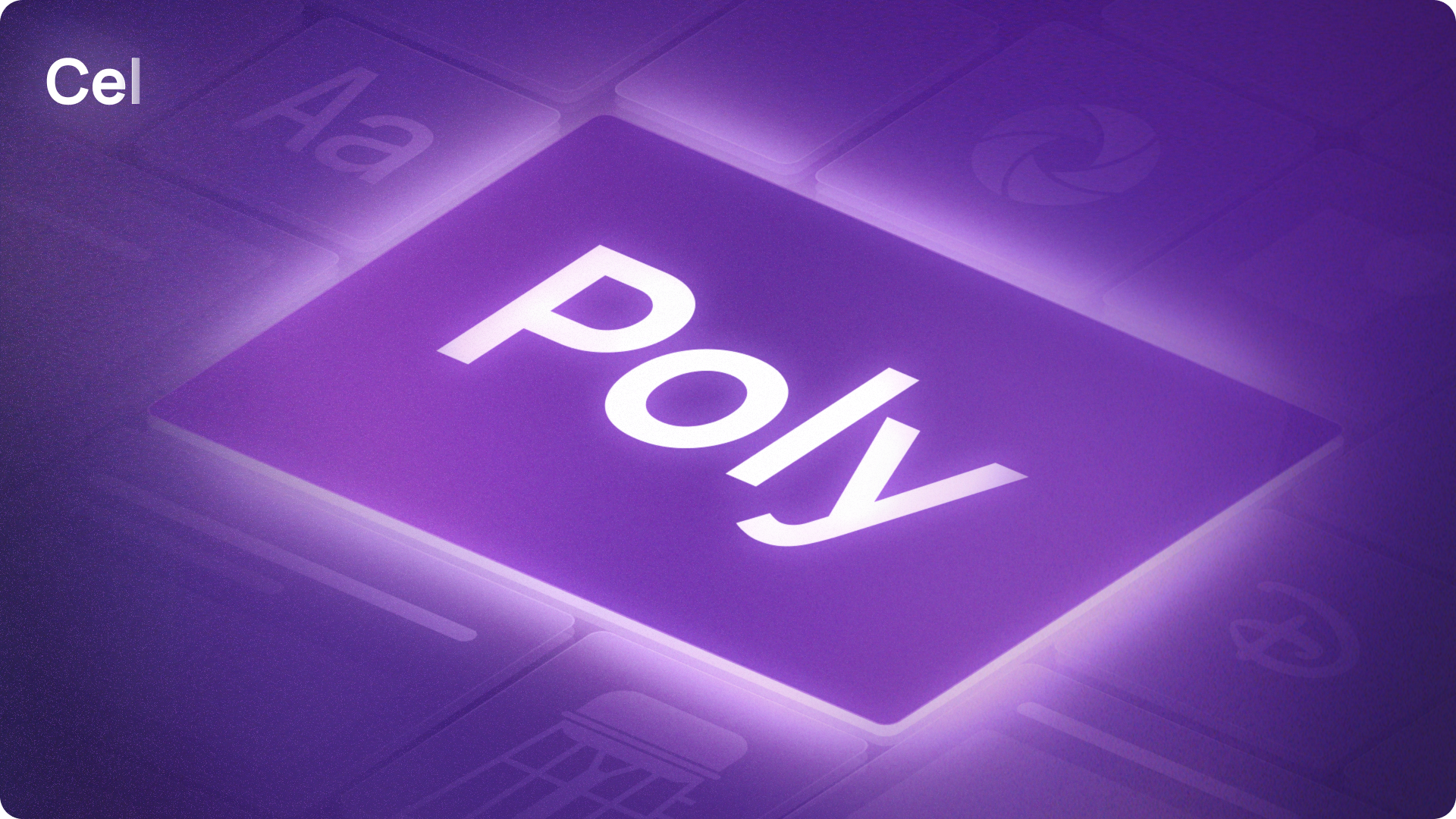
To ensure teams were unified under this new identity, team branding was explored to still allow teams to protect their unique identity under Cel while still adhering to the larger system.
Implementation & Build
Building the system for team usage within the organization.
With the foundation of the Cel brand in place, the next step was building the system itself. This meant translating our principles into components, libraries, and shared code.
Previous Experience
Teams relied on custom libraries or open sourced libraries like Material UI.
Before Cel existed, teams relied on their own custom libraries or used open source libraries like Material UI.
Many teams had their own setup and workflow, and we knew that a Cel should not replace everything teams had already built.
The solution would be to build Cel components on top of Material UI so teams could plug them in just as easily as they always had.
The difference was that Cel introduced a visual language specific to Studio Technology while still allowing teams to customize components through defined properties.
Teams with fully custom libraries could begin integrating Cel as they updated their products, which created a smoother and more realistic migration path.
Scalable Component System
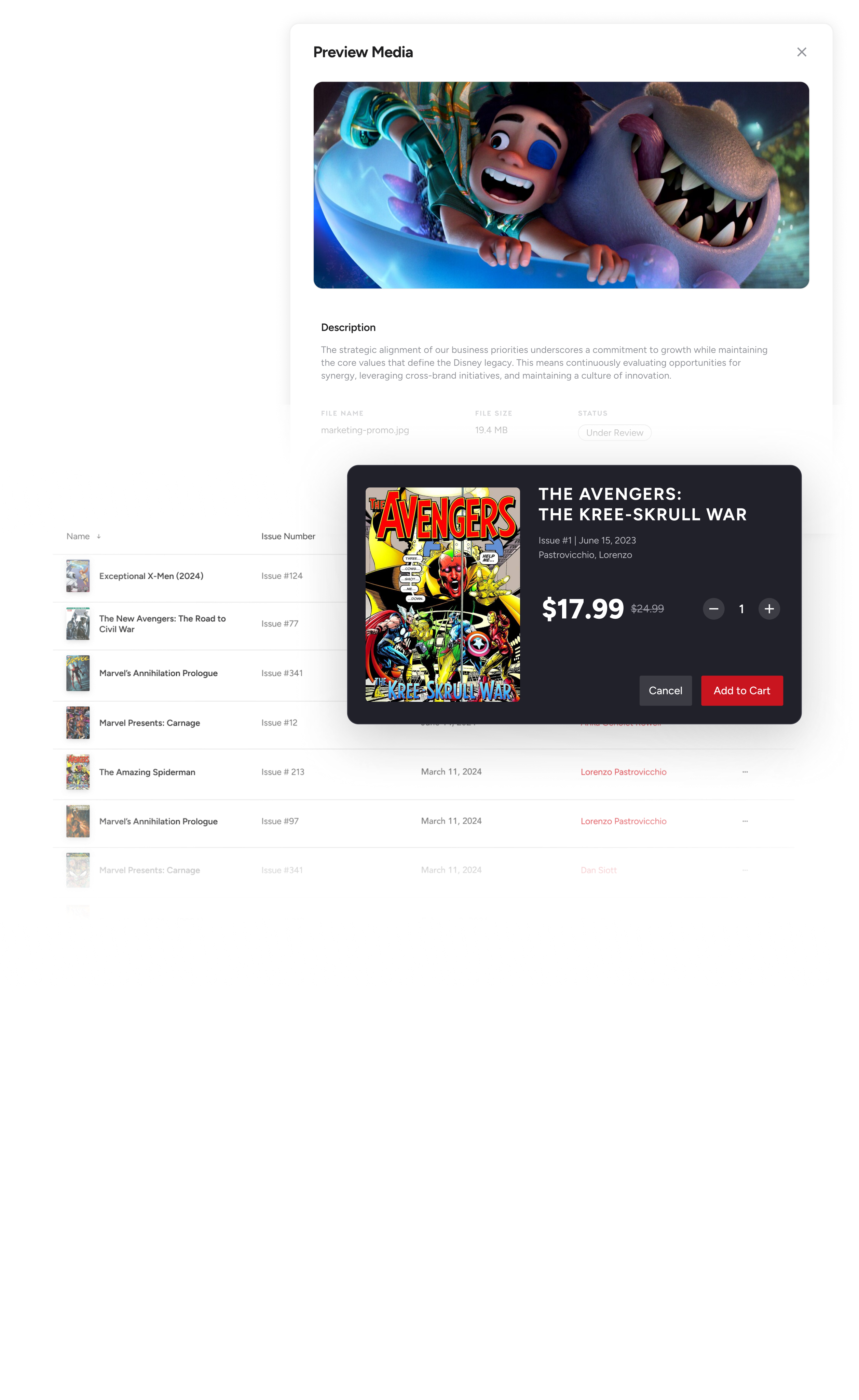
Cel component library was built with Figma Variables for scalable use.
Components were built to support product-specific branding through Figma Variables.
This made it easy for teams to apply light or dark themes and use their own app branding when needed.
Teams without custom branding could rely on Cel’s default theme, and every component still lived in one shared, managed library.

Documentation & Guidelines
Documentation site was built to keep teams aligned across the organization
Although teams now had a share component library to source from, we still needed to guide teams on the aligned behavior of components and patterns and how they should be used in their products.
Component Guidelines
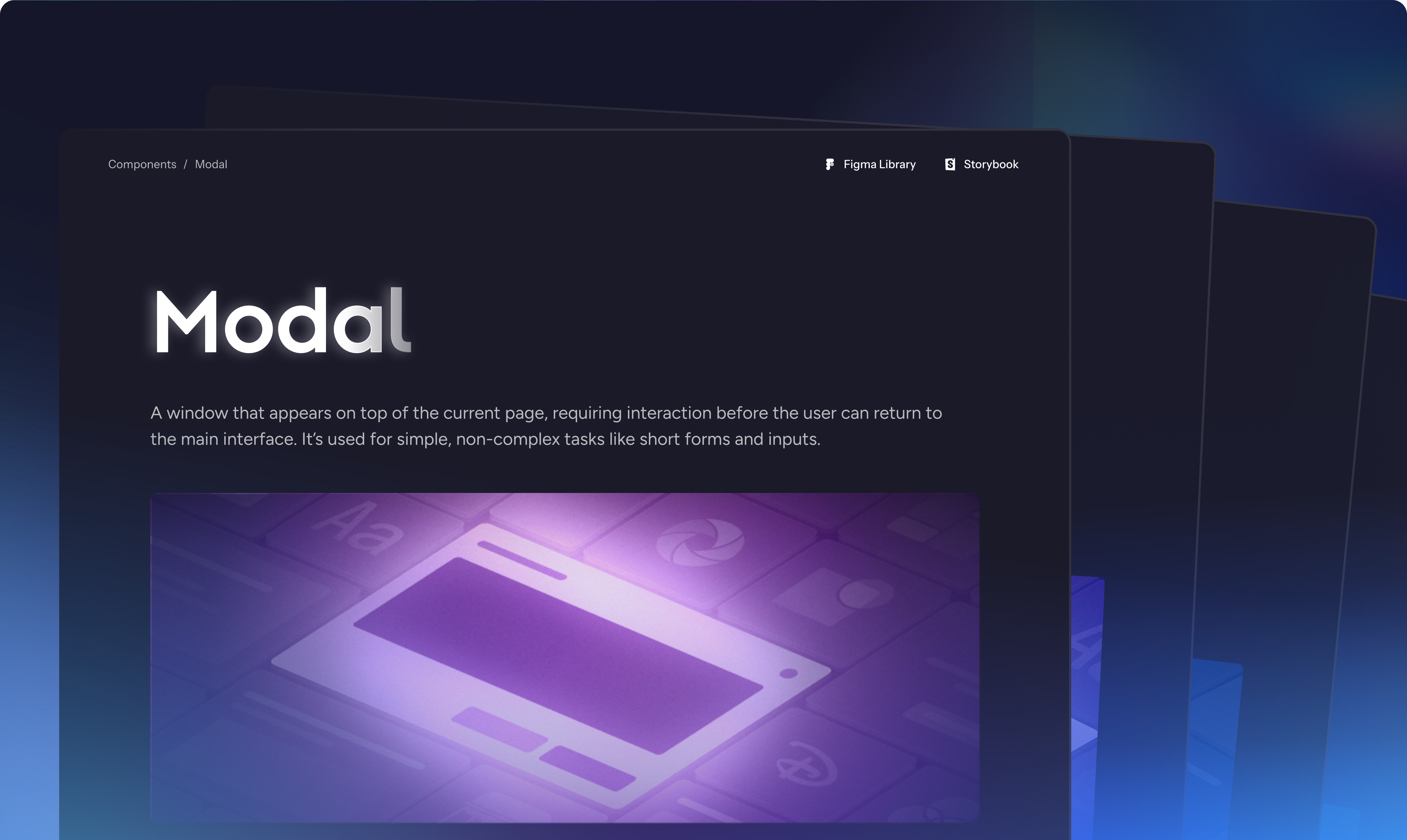
Guidelines for every component was built to be accessible for designers, developers, and Product.
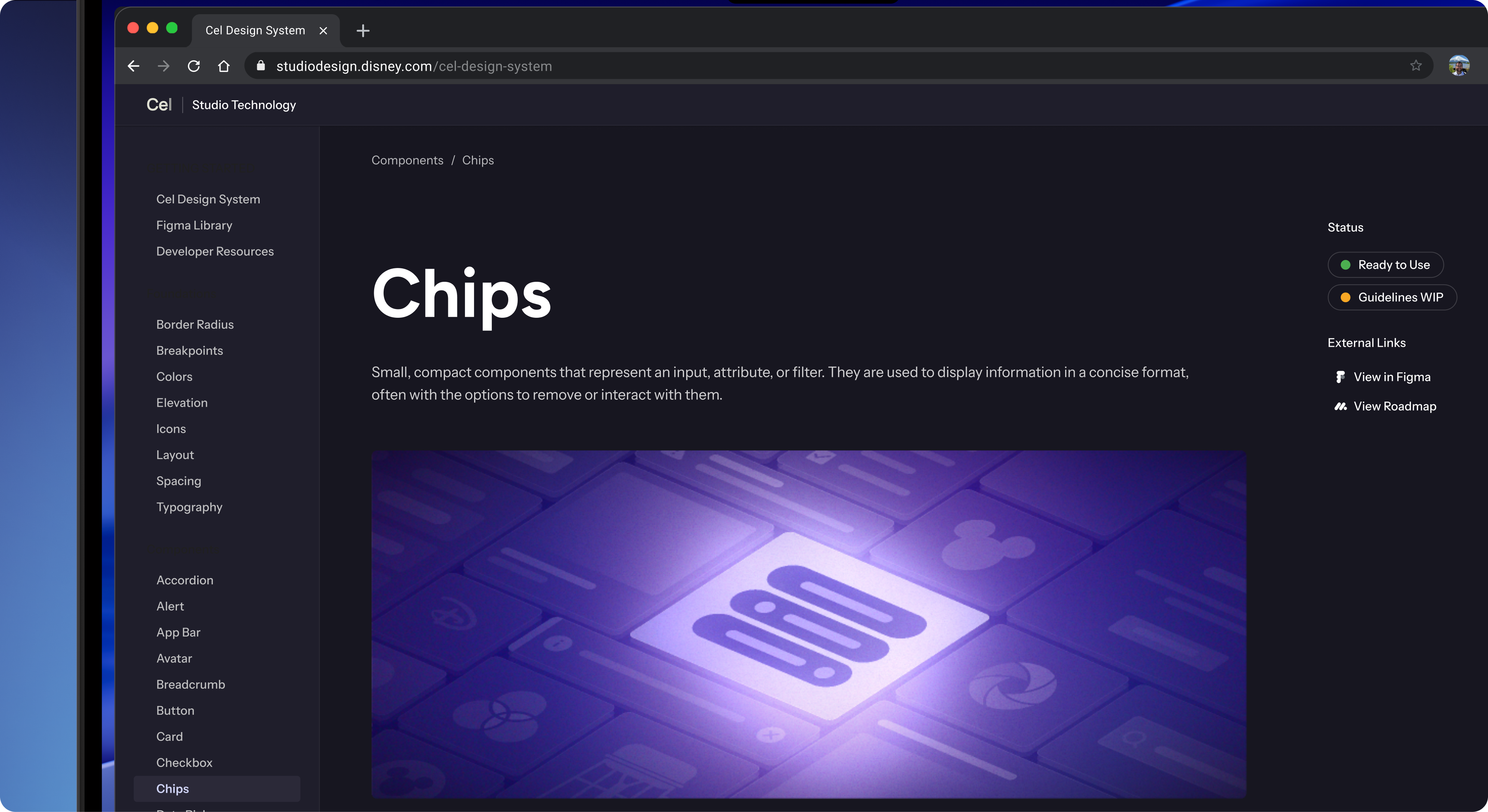
The documentation site became the central source for how Cel worked across design and development. It combined component designs, shared code, and usage guidelines into one place so teams could adopt Cel with confidence and consistency.
Component Anatomy
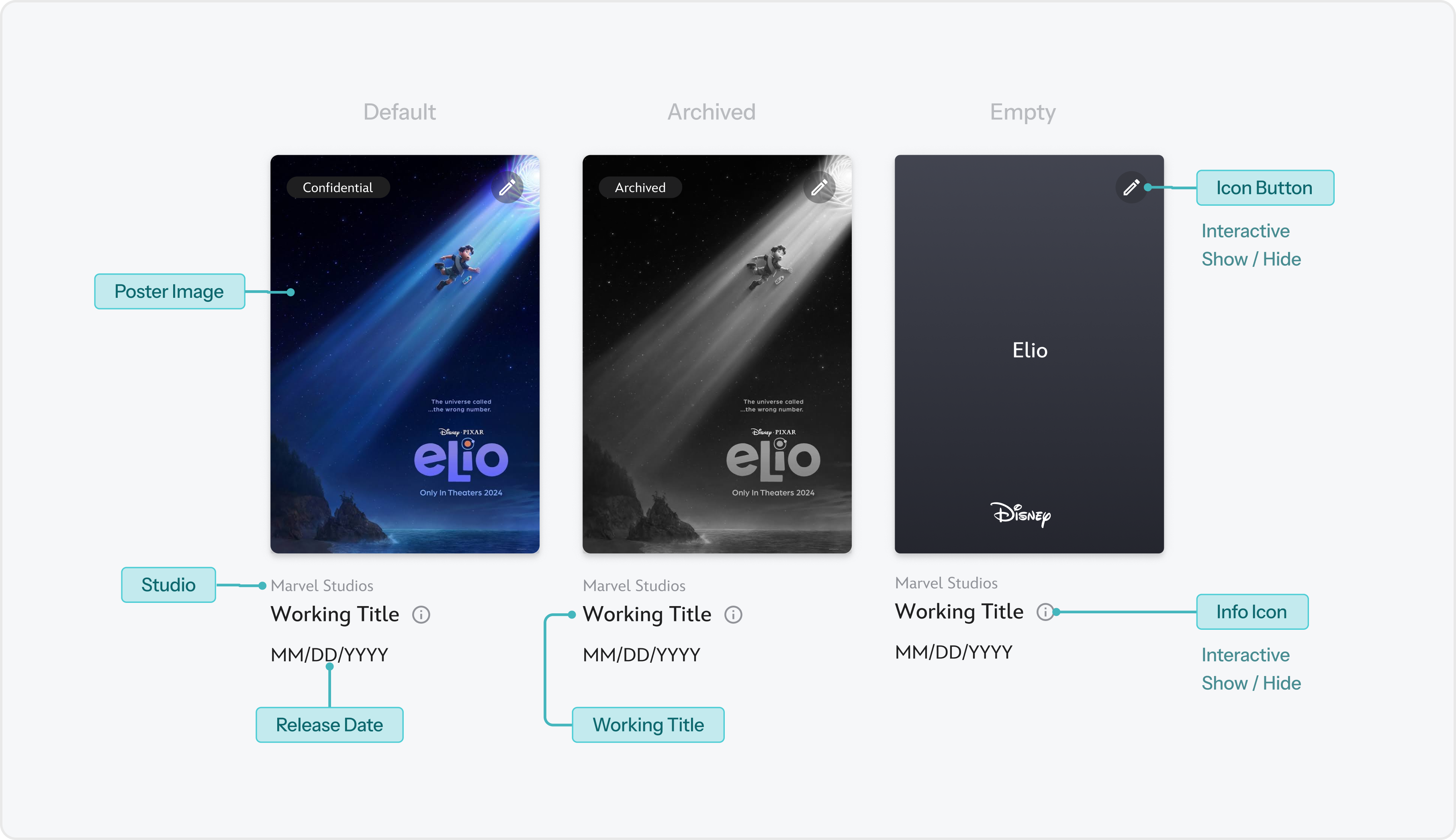
Teams could learn the anatomy of each component, while for developers, can see the underlying pieces that make up a component, what data is it being tied to it, sub-components used within it, etc.
How to use Components
Best practices were defined for each components to help teams understand the expected use for a component and what use cases will break the behavior of the component.
This helps teams to stay consistent to the organization’s design principles and consistent with each other.
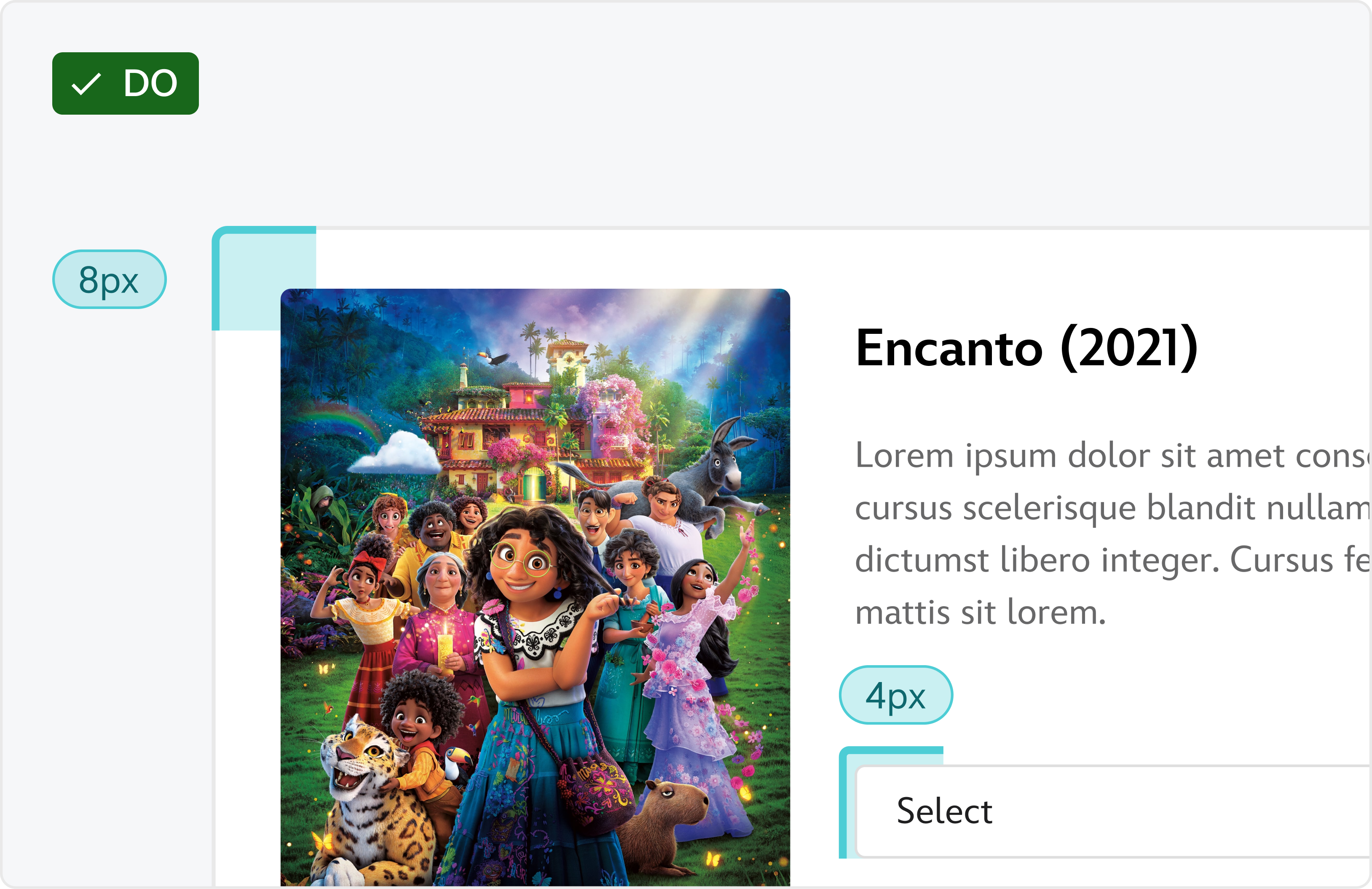
Match border radius values to the element’s size
Ensure that the border radius values your app uses scales based on the size of the elements using it.
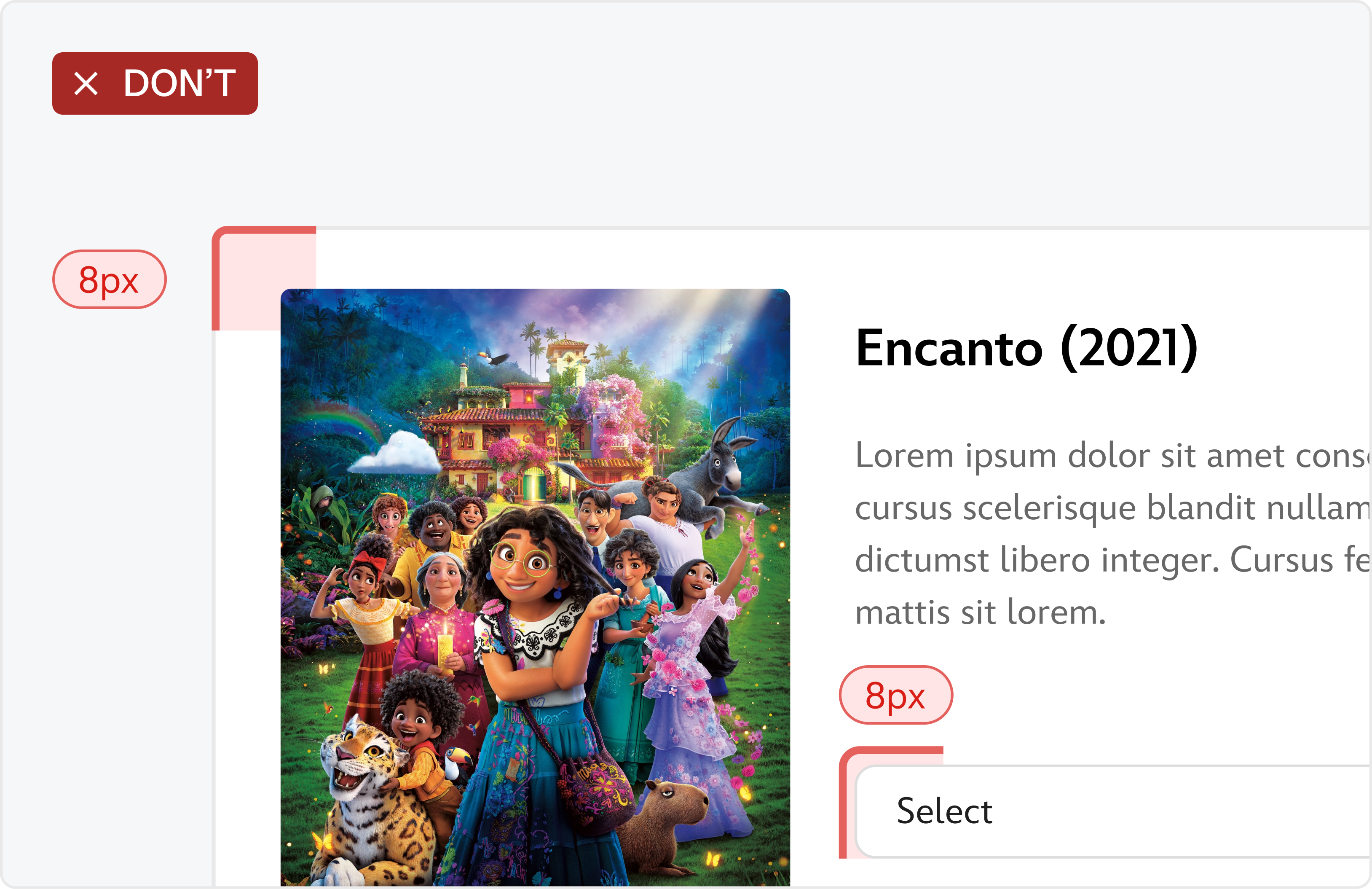
Using disproportional border radius values for size
Having small border radius for large elements and large border radius for small elements can cause visual distraction.
Impact & Results
The impact of design alignment across the organization
Cel introduced reusable components, shared code, and clear documentation that helped teams work faster and stay visually aligned.
Getting First Adoption
Cel was introduced, built, and validated with one of the organization’s largest teams, StudioONE.
While Cel was being built, it was validated with one of the largest teams in the organization, StudioONE. This allowed us to validate with a real product and team before fully launching.
As more teams saw the value, the system expanded and now supports over fifteen products across Studio Technology.
After Cel officially launched, I connected with designers and engineers to learn how it was affecting their day-to-day work. Many shared that the system made their process faster and easier, often cutting their workflow time in half.
The success led to more teams requesting to adopt Cel, which helped the system grow quickly across Studio Technology.
Impact of Cel
After launching to all teams, Cel grew and is now tracking to be the new design foundation for Studio products.
Today, Cel continues to grow as more teams bring the system into their products. With each new product, the system becomes more representative of Studio Technology as a whole.
As for next steps, design guidelines for presentations and team branding will be added to documentation, improving accessibility support, and creating a clear path for teams to move away from legacy custom code libraries.
Cel is on track to becoming the foundation for how Studio Technology designs and builds together.
© 2026
Back to top
Transforming outdated libraries and inconsistent designs into a scalable system for Disney’s Studio Technology organization.
This case study shares how Cel was built across design, engineering, and product to create a unified component library and documentation site for teams across the organization.
Duration
Jan '24 - Oct '25
SKILLS
UX Design, Systems Design, Visual Design, Research
Tools
Figma, Figma Variables, Storybook
MY ROLE
Leading efforts to build the Studio Technology organization’s design system.
At Walt Disney Studios, I led the efforts of building Cel, a design system for the Studio Technology organization.
Cel introduced reusable components, shared code, and clear documentation that helped teams work faster and stay visually aligned.

Previous Experience
Teams were building products with inconsistent designs from several different design libraries.
Prior to Cel, many teams across Studio Technology looked and behaved differently because teams were creating their own patterns, components, and code from scratch.
Limited design support and years of custom code made making updates slow and difficult, which kept teams from staying aligned with one another.
As the org’s ecosystem grew, the inconsistency became harder to maintain.
Solution
Building a system to unite products across the studio and teams.
The solution became clear that we needed a single design system that could support all products and give every team a consistent, shared foundation.
This idea became the start of Cel, and the project was launched with our first priority of defining the Studio’s design identity and brand. This would inform the visual style of components, libraries, and more.
Branding & Visual Design
Crafting the system’s visual identity
A unifying identity needed to be built to bring together the different products of the Studio Technology organization.
The name Cel was inspired by the innovative animation cels that Disney pioneered. Each cel is a single layer, but when placed together they create a complete story.
Cel design system follows the same principle of bringing teams together into one system to create the org’s cohesive visual story.
Cel’s branding drew from classic Disney visual language. We used bold color moments, soft gradients, and the layered feeling of animation cels to create a unique identity that still felt at home inside the larger company.

With the visual identity established, we defined the principles that would guide the entire system.
We defined a design language built around clarity, consistency, and flexibility, which shaped how components, colors, spacing, and motion came together across the system.
Team Branding
To ensure teams were unified under this new identity, team branding was explored to still allow teams to protect their unique identity under Cel while still adhering to the larger system.
Implementation & Build
Building the system for team usage within the organization.
With the foundation of the Cel brand in place, the next step was building the system itself. This meant translating our principles into components, libraries, and shared code.
Previous Experience
Teams relied on custom libraries or open sourced libraries like Material UI.
Before Cel existed, teams relied on their own custom libraries or used open source libraries like Material UI.
Many teams had their own setup and workflow, and we knew that a Cel should not replace everything teams had already built.
The solution would be to build Cel components on top of Material UI so teams could plug them in just as easily as they always had.
The difference was that Cel introduced a visual language specific to Studio Technology while still allowing teams to customize components through defined properties.
Teams with fully custom libraries could begin integrating Cel as they updated their products, which created a smoother and more realistic migration path.
Scalable Component System
Cel component library was built with Figma Variables for scalable use.
Components were built to support product-specific branding through Figma Variables.
This made it easy for teams to apply light or dark themes and use their own app branding when needed.
Teams without custom branding could rely on Cel’s default theme, and every component still lived in one shared, managed library.
Documentation & Guidelines
Documentation site was built to keep teams aligned across the organization
Although teams now had a share component library to source from, we still needed to guide teams on the aligned behavior of components and patterns and how they should be used in their products.
Component Guidelines
Guidelines for every component was built to be accessible for designers, developers, and Product.
The documentation site became the central source for how Cel worked across design and development. It combined component designs, shared code, and usage guidelines into one place so teams could adopt Cel with confidence and consistency.
Component Anatomy
Teams could learn the anatomy of each component, while for developers, can see the underlying pieces that make up a component, what data is it being tied to it, sub-components used within it, etc.
How to use Components
Best practices were defined for each components to help teams understand the expected use for a component and what use cases will break the behavior of the component.
This helps teams to stay consistent to the organization’s design principles and consistent with each other.
Match border radius values to the element’s size
Ensure that the border radius values your app uses scales based on the size of the elements using it.
Using disproportional border radius values for size
Having small border radius for large elements and large border radius for small elements can cause visual distraction.
Impact & Results
The impact of design alignment across the organization
Cel introduced reusable components, shared code, and clear documentation that helped teams work faster and stay visually aligned.
Getting First Adoption
Cel was introduced, built, and validated with one of the organization’s largest teams, StudioONE.
While Cel was being built, it was validated with one of the largest teams in the organization, StudioONE. This allowed us to validate with a real product and team before fully launching.
As more teams saw the value, the system expanded and now supports over fifteen products across Studio Technology.
After Cel officially launched, I connected with designers and engineers to learn how it was affecting their day-to-day work. Many shared that the system made their process faster and easier, often cutting their workflow time in half.
The success led to more teams requesting to adopt Cel, which helped the system grow quickly across Studio Technology.
Impact of Cel
After launching to all teams, Cel grew and is now tracking to be the new design foundation for Studio products.
Today, Cel continues to grow as more teams bring the system into their products. With each new product, the system becomes more representative of Studio Technology as a whole.
As for next steps, design guidelines for presentations and team branding will be added to documentation, improving accessibility support, and creating a clear path for teams to move away from legacy custom code libraries.
Cel is on track to becoming the foundation for how Studio Technology designs and builds together.
© 2026
Back to top
Transforming outdated libraries and inconsistent designs into a scalable system for Disney’s Studio Technology organization.
This case study shares how Cel was built across design, engineering, and product to create a unified component library and documentation site for teams across the organization.
Duration
Jan '24 - Oct '25
SKILLS
UX Design, Systems Design,
Visual Design, Research
Tools
Figma, Figma Variables,
Storybook
MY ROLE
Leading efforts to build the Studio Technology organization’s design system.
At Walt Disney Studios, I led the efforts of building Cel, a design system for the Studio Technology organization.
Cel introduced reusable components, shared code, and clear documentation that helped teams work faster and stay visually aligned.

Previous Experience
Teams were building products with inconsistent designs from several different design libraries.
Prior to Cel, many teams across Studio Technology looked and behaved differently because teams were creating their own patterns, components, and code from scratch.
Limited design support and years of custom code made making updates slow and difficult, which kept teams from staying aligned with one another.
As the org’s ecosystem grew, the inconsistency became harder to maintain.
Solution
Building a system to unite products across the studio and teams.
The solution became clear that we needed a single design system that could support all products and give every team a consistent, shared foundation.
This idea became the start of Cel, and the project was launched with our first priority of defining the Studio’s design identity and brand. This would inform the visual style of components, libraries, and more.
Branding & Visual Design
Crafting the system’s visual identity
A unifying identity needed to be built to bring together the different products of the Studio Technology organization.
The name Cel was inspired by the innovative animation cels that Disney pioneered. Each cel is a single layer, but when placed together they create a complete story.
Cel design system follows the same principle of bringing teams together into one system to create the org’s cohesive visual story.
Cel’s branding drew from classic Disney visual language. We used bold color moments, soft gradients, and the layered feeling of animation cels to create a unique identity that still felt at home inside the larger company.

With the visual identity established, we defined the principles that would guide the entire system.
We defined a design language built around clarity, consistency, and flexibility, which shaped how components, colors, spacing, and motion came together across the system.
Team Branding
To ensure teams were unified under this new identity, team branding was explored to still allow teams to protect their unique identity under Cel while still adhering to the larger system.
Implementation & Build
Building the system for team usage within the organization.
With the foundation of the Cel brand in place, the next step was building the system itself. This meant translating our principles into components, libraries, and shared code.
Previous Experience
Teams relied on custom libraries or open sourced libraries like Material UI.
Before Cel existed, teams relied on their own custom libraries or used open source libraries like Material UI.
Many teams had their own setup and workflow, and we knew that a Cel should not replace everything teams had already built.
The solution would be to build Cel components on top of Material UI so teams could plug them in just as easily as they always had.
The difference was that Cel introduced a visual language specific to Studio Technology while still allowing teams to customize components through defined properties.
Teams with fully custom libraries could begin integrating Cel as they updated their products, which created a smoother and more realistic migration path.
Scalable Component System
Cel component library was built with Figma Variables for scalable use.
Components were built to support product-specific branding through Figma Variables.
This made it easy for teams to apply light or dark themes and use their own app branding when needed.
Teams without custom branding could rely on Cel’s default theme, and every component still lived in one shared, managed library.
Documentation & Guidelines
Documentation site was built to keep teams aligned across the organization
Although teams now had a share component library to source from, we still needed to guide teams on the aligned behavior of components and patterns and how they should be used in their products.
Component Guidelines
Guidelines for every component was built to be accessible for designers, developers, and Product.
The documentation site became the central source for how Cel worked across design and development. It combined component designs, shared code, and usage guidelines into one place so teams could adopt Cel with confidence and consistency.
Component Anatomy
Teams could learn the anatomy of each component, while for developers, can see the underlying pieces that make up a component, what data is it being tied to it, sub-components used within it, etc.
How to use Components
Best practices were defined for each components to help teams understand the expected use for a component and what use cases will break the behavior of the component.
This helps teams to stay consistent to the organization’s design principles and consistent with each other.
Match border radius values to the element’s size
Ensure that the border radius values your app uses scales based on the size of the elements using it.
Using disproportional border radius values for size
Having small border radius for large elements and large border radius for small elements can cause visual distraction.
Impact & Results
The impact of design alignment across the organization
Cel introduced reusable components, shared code, and clear documentation that helped teams work faster and stay visually aligned.
Getting First Adoption
Cel was introduced, built, and validated with one of the organization’s largest teams, StudioONE.
While Cel was being built, it was validated with one of the largest teams in the organization, StudioONE. This allowed us to validate with a real product and team before fully launching.
As more teams saw the value, the system expanded and now supports over fifteen products across Studio Technology.
After Cel officially launched, I connected with designers and engineers to learn how it was affecting their day-to-day work. Many shared that the system made their process faster and easier, often cutting their workflow time in half.
The success led to more teams requesting to adopt Cel, which helped the system grow quickly across Studio Technology.
Impact of Cel
After launching to all teams, Cel grew and is now tracking to be the new design foundation for Studio products.
Today, Cel continues to grow as more teams bring the system into their products. With each new product, the system becomes more representative of Studio Technology as a whole.
As for next steps, design guidelines for presentations and team branding will be added to documentation, improving accessibility support, and creating a clear path for teams to move away from legacy custom code libraries.
Cel is on track to becoming the foundation for how Studio Technology designs and builds together.
© 2026
Transforming outdated libraries and inconsistent designs into a scalable system for Disney’s Studio Technology organization.
This case study shares how Cel was built across design, engineering, and product to create a unified component library and documentation site for teams across the organization.
DURATION
Jan '24 – Oct '25SKILLS
UX Design, Systems Design,
Visual Design, Research
Tools
Figma, Figma Variables,
Storybook
MY ROLE
Leading efforts to build the Studio Technology organization’s design system.
At Walt Disney Studios, I led the efforts of building Cel, a design system for the Studio Technology organization.
Cel introduced reusable components, shared code, and clear documentation that helped teams work faster and stay visually aligned.

Previous Experience
Teams were building products with inconsistent designs from several different design libraries.
Prior to Cel, many teams across Studio Technology looked and behaved differently because teams were creating their own patterns, components, and code from scratch.
Limited design support and years of custom code made making updates slow and difficult, which kept teams from staying aligned with one another.
As the org’s ecosystem grew, the inconsistency became harder to maintain.
Solution
Building a system to unite products across the studio and teams.
The solution became clear that we needed a single design system that could support all products and give every team a consistent, shared foundation.
This idea became the start of Cel, and the project was launched with our first priority of defining the Studio’s design identity and brand. This would inform the visual style of components, libraries, and more.
Branding & Visual Design
Crafting the system’s visual identity
A unifying identity needed to be built to bring together the different products of the Studio Technology organization.
The name Cel was inspired by the innovative animation cels that Disney pioneered. Each cel is a single layer, but when placed together they create a complete story.
Cel design system follows the same principle of bringing teams together into one system to create the org’s cohesive visual story.
Cel’s branding drew from classic Disney visual language. We used bold color moments, soft gradients, and the layered feeling of animation cels to create a unique identity that still felt at home inside the larger company.

With the visual identity established, we defined the principles that would guide the entire system.
We defined a design language built around clarity, consistency, and flexibility, which shaped how components, colors, spacing, and motion came together across the system.
Team Branding
To ensure teams were unified under this new identity, team branding was explored to still allow teams to protect their unique identity under Cel while still adhering to the larger system.
Implementation & Build
Building the system for team usage within the organization.
With the foundation of the Cel brand in place, the next step was building the system itself. This meant translating our principles into components, libraries, and shared code.
Previous Experience
Teams relied on custom libraries or open sourced libraries like Material UI.
Before Cel existed, teams relied on their own custom libraries or used open source libraries like Material UI.
Many teams had their own setup and workflow, and we knew that a Cel should not replace everything teams had already built.
The solution would be to build Cel components on top of Material UI so teams could plug them in just as easily as they always had.
The difference was that Cel introduced a visual language specific to Studio Technology while still allowing teams to customize components through defined properties.
Teams with fully custom libraries could begin integrating Cel as they updated their products, which created a smoother and more realistic migration path.
Scalable Component System
Cel component library was built with Figma Variables for scalable use.
Components were built to support product-specific branding through Figma Variables.
This made it easy for teams to apply light or dark themes and use their own app branding when needed.
Teams without custom branding could rely on Cel’s default theme, and every component still lived in one shared, managed library.
Documentation & Guidelines
Documentation site was built to keep teams aligned across the organization
Although teams now had a share component library to source from, we still needed to guide teams on the aligned behavior of components and patterns and how they should be used in their products.
Component Guidelines
Guidelines for every component was built to be accessible for designers, developers, and Product.
The documentation site became the central source for how Cel worked across design and development. It combined component designs, shared code, and usage guidelines into one place so teams could adopt Cel with confidence and consistency.
Component Anatomy
Teams could learn the anatomy of each component, while for developers, can see the underlying pieces that make up a component, what data is it being tied to it, sub-components used within it, etc.
How to use Components
Best practices were defined for each components to help teams understand the expected use for a component and what use cases will break the behavior of the component.
This helps teams to stay consistent to the organization’s design principles and consistent with each other.
Match border radius values to the element’s size
Ensure that the border radius values your app uses scales based on the size of the elements using it.
Using disproportional border radius values for size
Having small border radius for large elements and large border radius for small elements can cause visual distraction.
Impact & Results
The impact of design alignment across the organization
Cel introduced reusable components, shared code, and clear documentation that helped teams work faster and stay visually aligned.
Getting First Adoption
Cel was introduced, built, and validated with one of the organization’s largest teams, StudioONE.
While Cel was being built, it was validated with one of the largest teams in the organization, StudioONE. This allowed us to validate with a real product and team before fully launching.
As more teams saw the value, the system expanded and now supports over fifteen products across Studio Technology.
After Cel officially launched, I connected with designers and engineers to learn how it was affecting their day-to-day work. Many shared that the system made their process faster and easier, often cutting their workflow time in half.
The success led to more teams requesting to adopt Cel, which helped the system grow quickly across Studio Technology.
Impact of Cel
After launching to all teams, Cel grew and is now tracking to be the new design foundation for Studio products.
Today, Cel continues to grow as more teams bring the system into their products. With each new product, the system becomes more representative of Studio Technology as a whole.
As for next steps, design guidelines for presentations and team branding will be added to documentation, improving accessibility support, and creating a clear path for teams to move away from legacy custom code libraries.
Cel is on track to becoming the foundation for how Studio Technology designs and builds together.
© 2026